> ## Documentation Index
> Fetch the complete documentation index at: https://docs.paysight.io/llms.txt
> Use this file to discover all available pages before exploring further.
# Editor Overview
> Use the Shopify Checkout Editor to manage checkout modules, preview changes, validate settings, and save updates safely.
 # Editor Overview
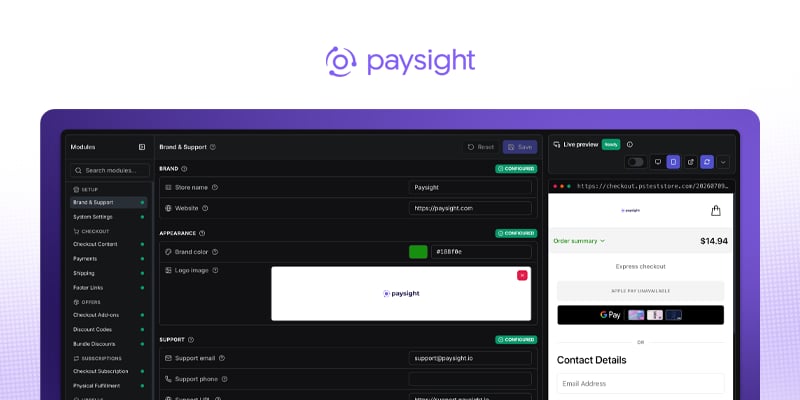
Use the Shopify Checkout Editor to manage an active Shopify store after onboarding is complete. Each editor module has its own page in this section.
If your store is still pending setup, finish [Shopify Store Onboarding](/guides/shopify-store-onboarding) first.
{/* Screenshot placeholder: Full Checkout Editor shell with module navigation, preview, validation, and save controls. */}
## Open the editor
Open [**Shopify Stores**](https://app.paysight.io/shopify-stores) in Paysight.
Use the **Active** tab to find the store you want to edit.
Select **Edit Checkout** to open the Checkout Editor.
## How the editor works
Settings are grouped into modules such as Checkout Content, Payments, Shipping, Pixels, and Checkout Code Blocks.
Use module search to quickly find a setting area by name or feature such as Shipping, Upsells, Tracking.
Saving checkout changes makes your changes instantly live.
Resolve validation messages before saving checkout configuration.
Save after each focused change. If you leave a module with unsaved changes, review the pending changes before moving on.
## Go Live Checklist
Select **Live checklist** in the editor header to review launch readiness without leaving the editor. The checklist links directly to the modules that need attention.
# Editor Overview
Use the Shopify Checkout Editor to manage an active Shopify store after onboarding is complete. Each editor module has its own page in this section.
If your store is still pending setup, finish [Shopify Store Onboarding](/guides/shopify-store-onboarding) first.
{/* Screenshot placeholder: Full Checkout Editor shell with module navigation, preview, validation, and save controls. */}
## Open the editor
Open [**Shopify Stores**](https://app.paysight.io/shopify-stores) in Paysight.
Use the **Active** tab to find the store you want to edit.
Select **Edit Checkout** to open the Checkout Editor.
## How the editor works
Settings are grouped into modules such as Checkout Content, Payments, Shipping, Pixels, and Checkout Code Blocks.
Use module search to quickly find a setting area by name or feature such as Shipping, Upsells, Tracking.
Saving checkout changes makes your changes instantly live.
Resolve validation messages before saving checkout configuration.
Save after each focused change. If you leave a module with unsaved changes, review the pending changes before moving on.
## Go Live Checklist
Select **Live checklist** in the editor header to review launch readiness without leaving the editor. The checklist links directly to the modules that need attention.
 The five launch essentials cover branding, support and policy links, shipping, subscription setup, and tracking. Mark each item **Done** or **Not applicable**; both statuses count toward launch readiness. Optional power-ups cover Bundle Discounts, Checkout Add-ons, Upsell Offers, and Upsell Flow.
The checklist records review progress, but it does not replace previewing the checkout or running a test order. You can dismiss the checklist and resume it later from the same button.
## Editor Modules
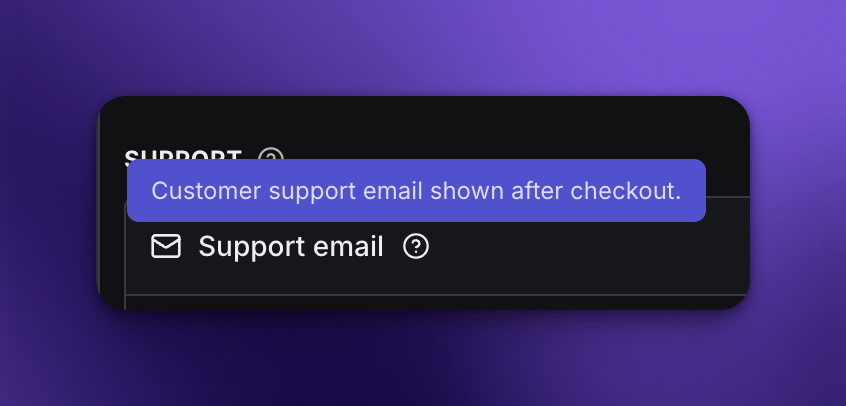
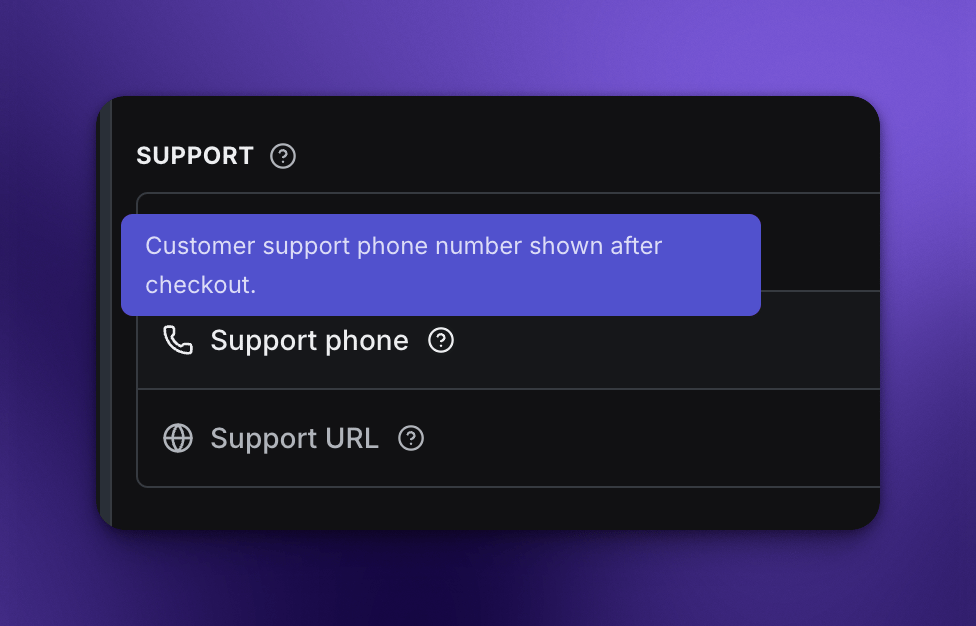
The Checkout Editor groups settings by purpose so you can work on one part of the customer experience at a time. Use the help tooltips beside fields and section headings for implementation-specific guidance.
The five launch essentials cover branding, support and policy links, shipping, subscription setup, and tracking. Mark each item **Done** or **Not applicable**; both statuses count toward launch readiness. Optional power-ups cover Bundle Discounts, Checkout Add-ons, Upsell Offers, and Upsell Flow.
The checklist records review progress, but it does not replace previewing the checkout or running a test order. You can dismiss the checklist and resume it later from the same button.
## Editor Modules
The Checkout Editor groups settings by purpose so you can work on one part of the customer experience at a time. Use the help tooltips beside fields and section headings for implementation-specific guidance.
 ### Setup
Brand, support, and system settings.
Customer-facing brand, logo, support contact details, and footer links.
Paysight system identity, domains, region, currency, and checkout display conversion.
### Checkout
Checkout content, layout, shipping, and footer links.
Checkout labels, policy notice, reserve copy, country/address behavior, address autocomplete, and pay button text.
Modern card submit, express wallets, wallet styling, 3DS, supported cards, and sandbox flags.
Shipping products, display prices, ordering, and Shopify shipping-line behavior.
Checkout footer links, policies, and support destinations.
### Offers
Add-ons, discount codes, and bundle discount rules.
Optional products shown during checkout, including defaults and cart visibility.
Store discount entries and values.
BOGO, fixed, percentage, product-specific, and store-wide discount rules.
### Subscriptions
Subscription checkout behavior and physical fulfillment mapping.
Straight-sale mode, subscription terms, cart subscription display, and subscription copy.
Cart triggers, subscription IDs, physical products to ship, and fulfillment metadata.
### Upsells
Post-purchase upsells, upsell flow, and order handling.
Post-purchase offer strategies, products, content, shipping, triggers, and active state.
Accept/decline routing and initial upsell selection.
Separate order modes, individual order mode, payment waiting, and decline override.
### Tracking
Pixels, GTM, attribution, behavior analytics, and diagnostics.
Tracking pixels, event filters, default pixel behavior, and diagnostics.
GTM container IDs, standard events, and custom event names.
Hyros and other attribution-specific identifiers.
Microsoft Clarity and Hotjar project IDs.
### Integrations
Checkout event actions and marketing integrations.
Connect email/SMS marketing platforms (Omnisend) to checkout lifecycle events.
Checkout event action references and delivery configuration.
### Operations
Shopify sync behavior, store tests, refreshes, and logs.
Shopify order sync, batching, product refresh, store test, and conversion logs.
### Advanced
Custom checkout code for carefully reviewed changes. Paysight admins also have access to internal configuration and legacy tools in this group.
Custom HTML, CSS, and JavaScript injected into checkout.
## Safe editing checklist
Edit one module or one related set of settings at a time.
Check the preview and resolve validation messages before saving.
Save the module and confirm the editor no longer shows unsaved changes.
For payment, shipping, tracking, upsell, and Checkout Code Blocks changes, run a checkout test before treating the update as live-ready.
Admin Settings and Raw Config are internal Paysight tools and are not customer-facing editor modules.
### Setup
Brand, support, and system settings.
Customer-facing brand, logo, support contact details, and footer links.
Paysight system identity, domains, region, currency, and checkout display conversion.
### Checkout
Checkout content, layout, shipping, and footer links.
Checkout labels, policy notice, reserve copy, country/address behavior, address autocomplete, and pay button text.
Modern card submit, express wallets, wallet styling, 3DS, supported cards, and sandbox flags.
Shipping products, display prices, ordering, and Shopify shipping-line behavior.
Checkout footer links, policies, and support destinations.
### Offers
Add-ons, discount codes, and bundle discount rules.
Optional products shown during checkout, including defaults and cart visibility.
Store discount entries and values.
BOGO, fixed, percentage, product-specific, and store-wide discount rules.
### Subscriptions
Subscription checkout behavior and physical fulfillment mapping.
Straight-sale mode, subscription terms, cart subscription display, and subscription copy.
Cart triggers, subscription IDs, physical products to ship, and fulfillment metadata.
### Upsells
Post-purchase upsells, upsell flow, and order handling.
Post-purchase offer strategies, products, content, shipping, triggers, and active state.
Accept/decline routing and initial upsell selection.
Separate order modes, individual order mode, payment waiting, and decline override.
### Tracking
Pixels, GTM, attribution, behavior analytics, and diagnostics.
Tracking pixels, event filters, default pixel behavior, and diagnostics.
GTM container IDs, standard events, and custom event names.
Hyros and other attribution-specific identifiers.
Microsoft Clarity and Hotjar project IDs.
### Integrations
Checkout event actions and marketing integrations.
Connect email/SMS marketing platforms (Omnisend) to checkout lifecycle events.
Checkout event action references and delivery configuration.
### Operations
Shopify sync behavior, store tests, refreshes, and logs.
Shopify order sync, batching, product refresh, store test, and conversion logs.
### Advanced
Custom checkout code for carefully reviewed changes. Paysight admins also have access to internal configuration and legacy tools in this group.
Custom HTML, CSS, and JavaScript injected into checkout.
## Safe editing checklist
Edit one module or one related set of settings at a time.
Check the preview and resolve validation messages before saving.
Save the module and confirm the editor no longer shows unsaved changes.
For payment, shipping, tracking, upsell, and Checkout Code Blocks changes, run a checkout test before treating the update as live-ready.
Admin Settings and Raw Config are internal Paysight tools and are not customer-facing editor modules.